


Reference · Hoopla
Team Admin permissions
Choose which permissions Team Admins have and configure access for individual Team Admin users.
Overview
We’ve introduced User-Level Permission Customization to give Admins more control over what each Team Admin can do inside the Engage platform. This ensures that roles are better aligned with responsibilities, improving security and usability.
All Team Admins (new and existing) now have an individual permissions panel.
⚠️ Important:
-
Current Team Admins will have all permissions enabled by default.
-
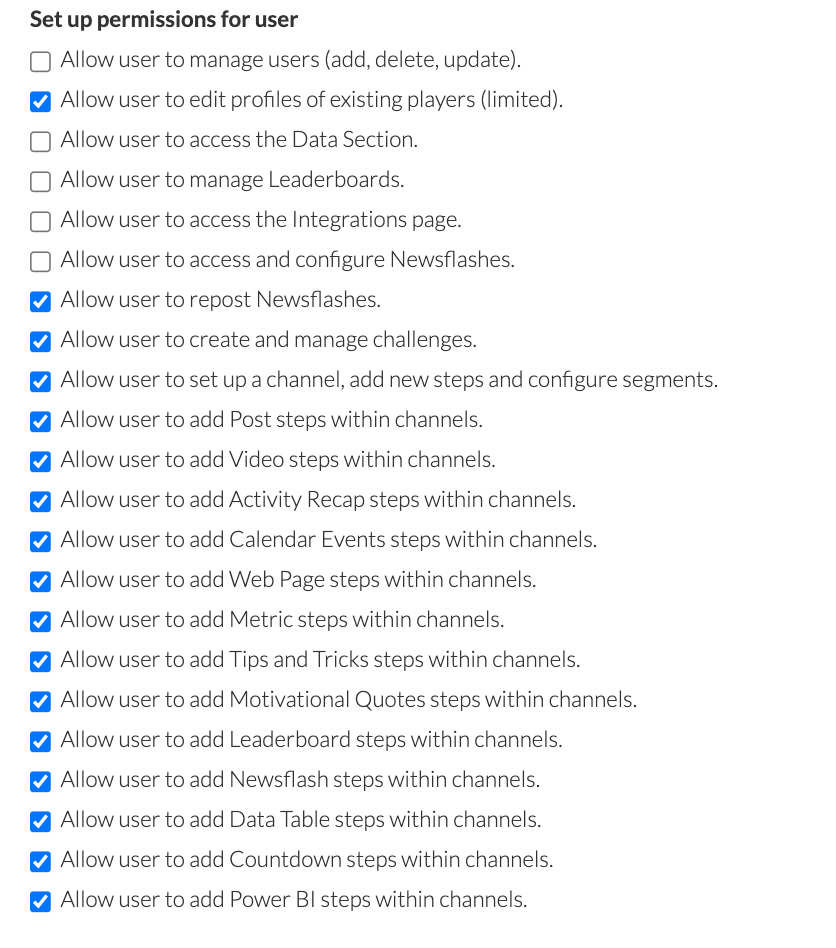
New Team Admins will follow the updated default configuration (detailed below).
Admins can update these settings per user via their profile.
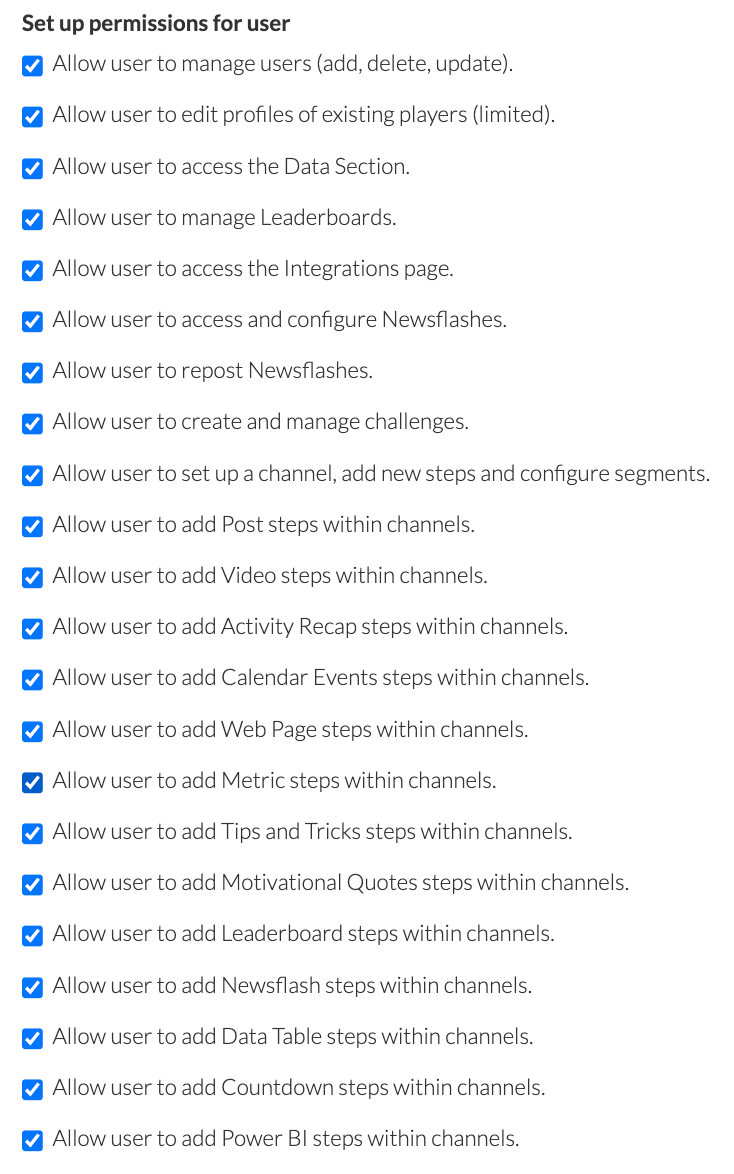
🔧 How to Set Up Permissions
Section titled “🔧 How to Set Up Permissions”-
Go to Configuration → Users.
-
Click on a Team Admin’s profile.
-
Click “Set up permissions for user.”
-
Toggle each permission based on what access this Team Admin should have.
Available Permissions
Section titled “Available Permissions”| Category | Permission | What It Allows |
| User Management | Manage users (add, delete, update) | Grants full user management rights. Disabled by default. |
| Edit profiles of existing players (limited) | Can edit videos and songs in user profiles (not names or personal data). Enabled by default. | |
| Data & Insights | Access Data Section | View and configure data elements. Disabled by default. |
| Manage Leaderboards | View, edit, and delete leaderboards. Disabled by default. | |
| Integrations | Access the Integrations page | Access integrations setup. Disabled by default. |
| Newsflashes | Access & configure Newsflashes | View, create, edit Newsflashes. Disabled by default. |
| Repost Newsflashes | Repost existing content. Enabled by default. | |
| Challenges | Create and manage Challenges | Full access to Challenges section. Enabled by default. |
| Channels & Steps | Set up channels & configure segments | Add/edit channels and segments (not delete). Enabled by default. |
| Add steps in channels: | ||
| • Post | Add post-style content | |
| • Video | Embed or upload videos | |
| • Activity Recap | Show performance or event summaries | |
| • Calendar Events | Schedule visible event reminders | |
| • Web Page | Embed web views | |
| • Metrics | Add performance metrics | |
| • Tips and Tricks | Share helpful guides | |
| • Motivational Quotes | Add quote-based motivation | |
| • Leaderboards | Embed a leaderboard | |
| • Newsflash | Reuse an existing Newsflash | |
| • Data Table | Show tabular data | |
| • Countdown | Add timers for urgency | |
| • Power BI | Add data visualizations from Power BI | |
| Messaging | Post messages to screens and app | No changes – controlled via Watcher role |
Default Permissions
Section titled “Default Permissions”ForNew Team Admins, these are the default permission states:
What Happens When Permissions Are Off?
Section titled “What Happens When Permissions Are Off?”-
Hidden buttons (like “Add” or “Repost”) and sections disappear from the UI.
-
Direct URL access shows: “You don’t have access to this page.”
-
Step options in channels are grayed out if permissions are disabled.
Still having trouble?
Email our support team.