


How-to · Hoopla
Watch channels on your computer
View your team's TV channels in your browser from the Watch Channels tab when you are away from the office.
Your admin can add you as a watcher to a TV Channel so you can still view the Channel on your computer when you’re away from the office.
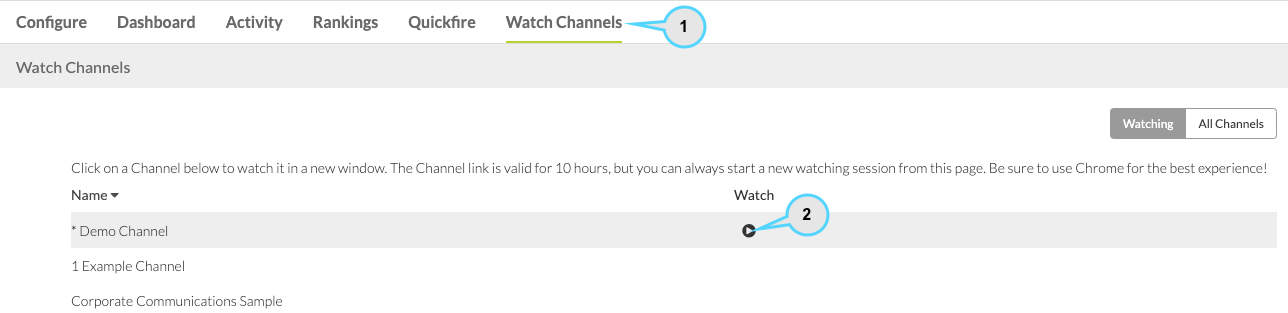
To view a channel*(click to enlarge)*:
-
Log in to Hoopla and click on the Watch Channels tab. You will see a list of channels that your admin has given you access to.
-
Click on the Channel you want to view. Your viewing session will expire after ten hours, but you can simply start another viewing session by clicking on the Channel in the Watch Channels tab again.
Related articles
Section titled “Related articles”- Set up channel watchers in Hoopla Let users or teams view a channel from the Watch Channels tab without assigning them a TV display.
- What are Watchers in Hoopla? Understand how Watchers can view leaderboards and newsflashes, and get notifications, without appearing in rankings or triggering them.
Still having trouble?
Email our support team.