


How-to · Hoopla
Clone a segment
Clone an existing segment, give the copy a name and save it for reuse.
Cloning a segment is handy when you are trying to make multiple segments for different locations and only want to change a few key items in the main segment.
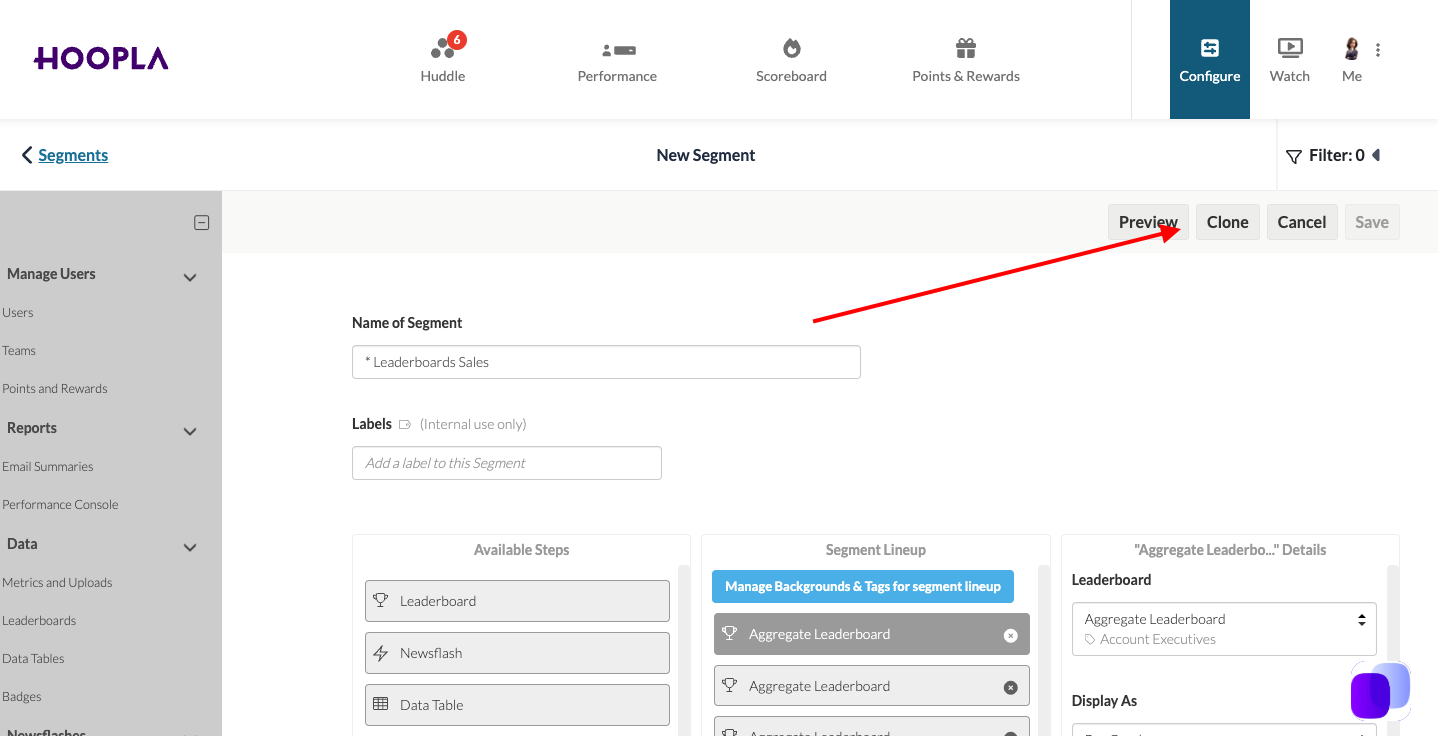
To clone a segment, click into the segment you would like to clone and click “Clone” in the top right hand corner.
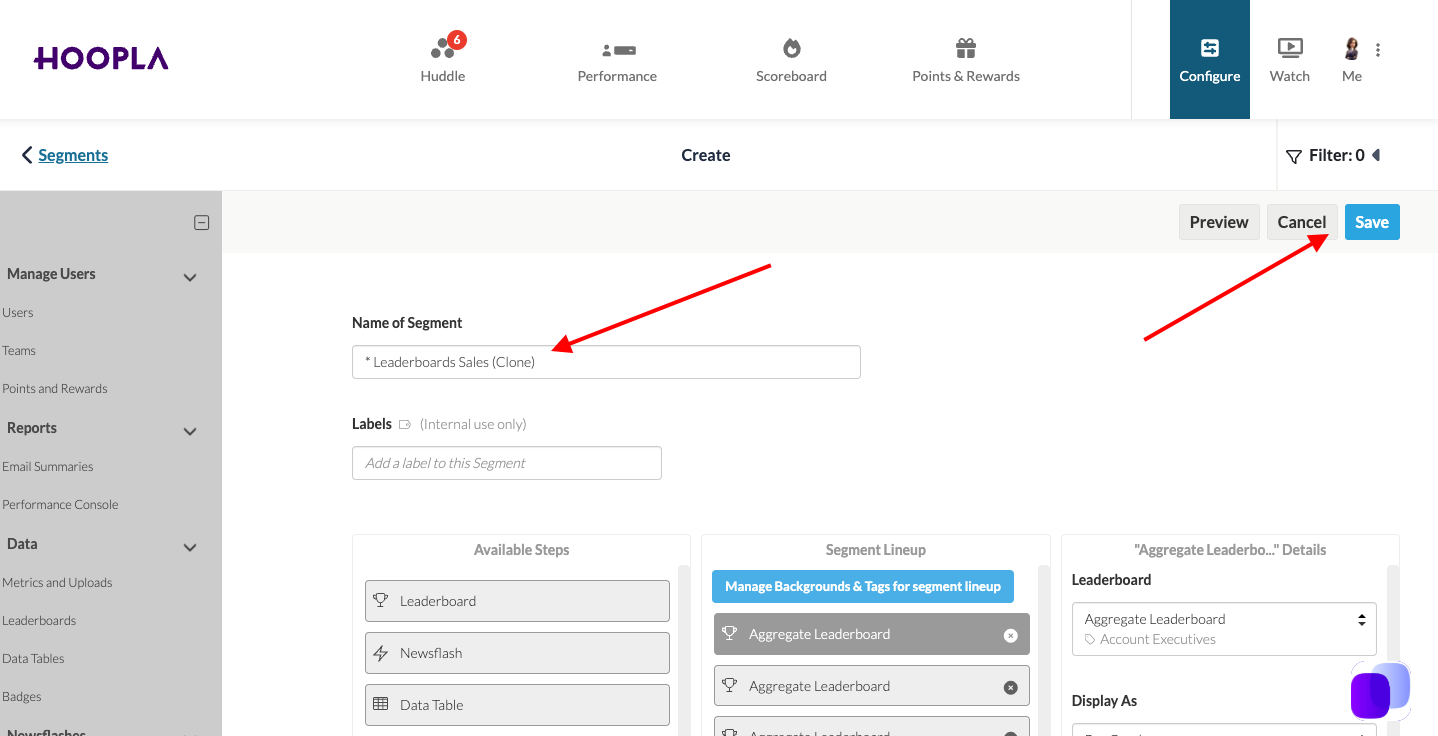
You will then see the cloned segment indicated by the word (clone) in the title. Change the title if desired and then click “Save”.
You will then see your cloned segment listed in the main segments page.
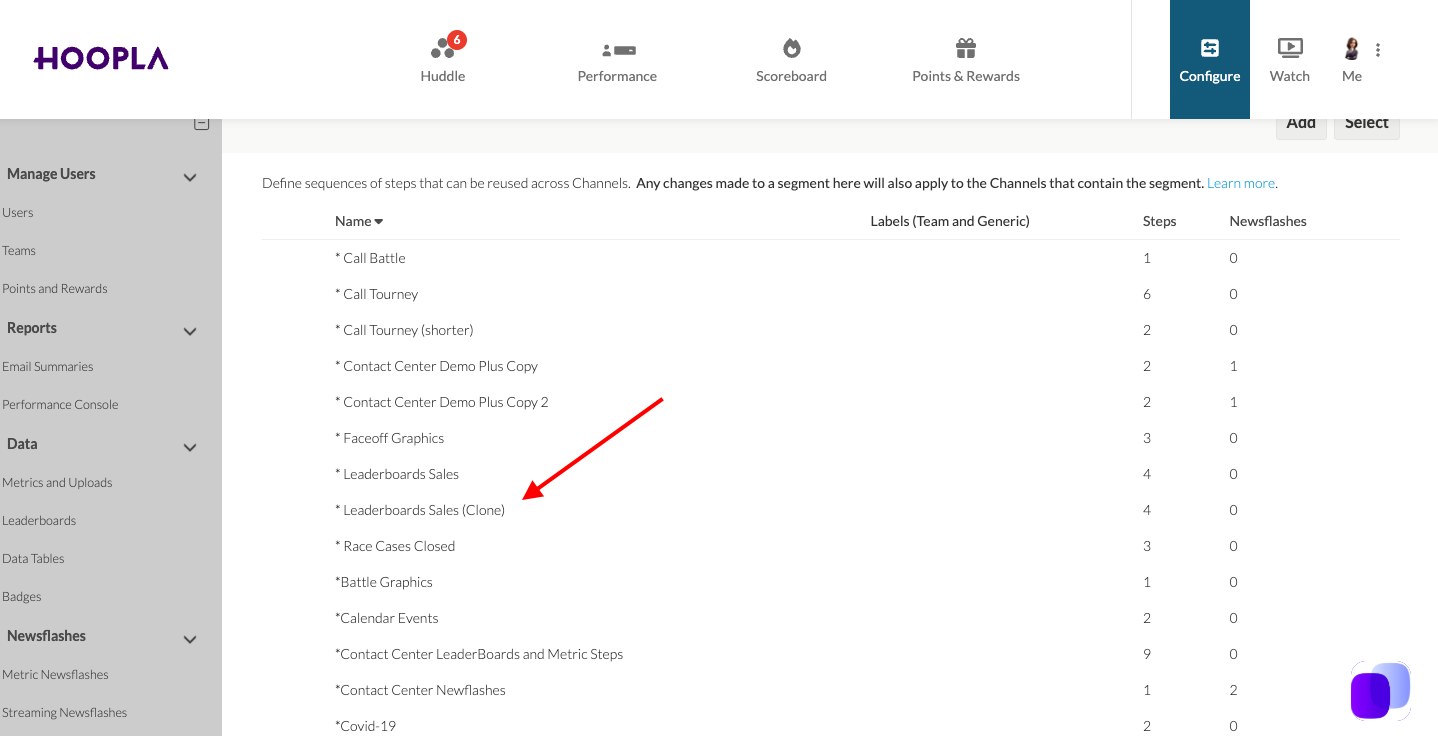
It is now available for use.
Still having trouble?
Email our support team.