


How-to · Displai
Multizone (Split Screen)
Split your screen into zones that each show different content, and check the zone sizes for common multizone layouts.
Showcase a stationary menu while also alternating specials? Yes, you can do that.
Use your screen for promotions to showcase multiple items at one? Sure!
Use one part of your screen to show off your social media? Yup, you can do that, too.
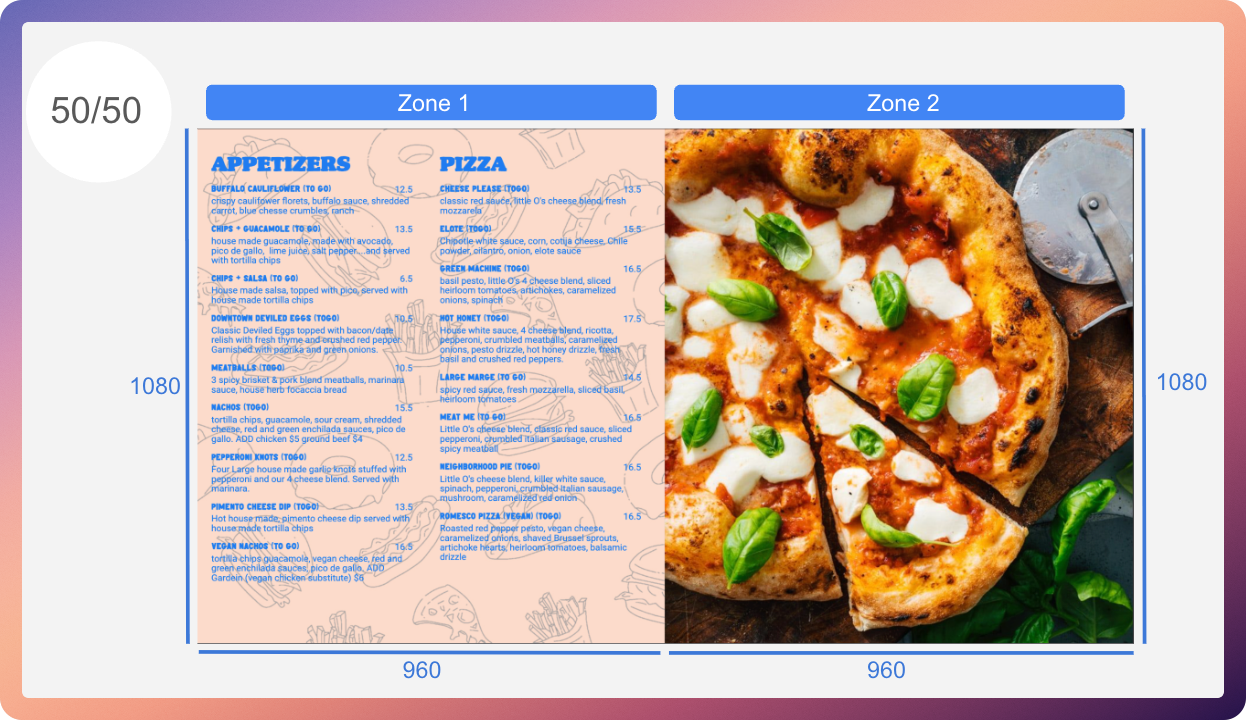
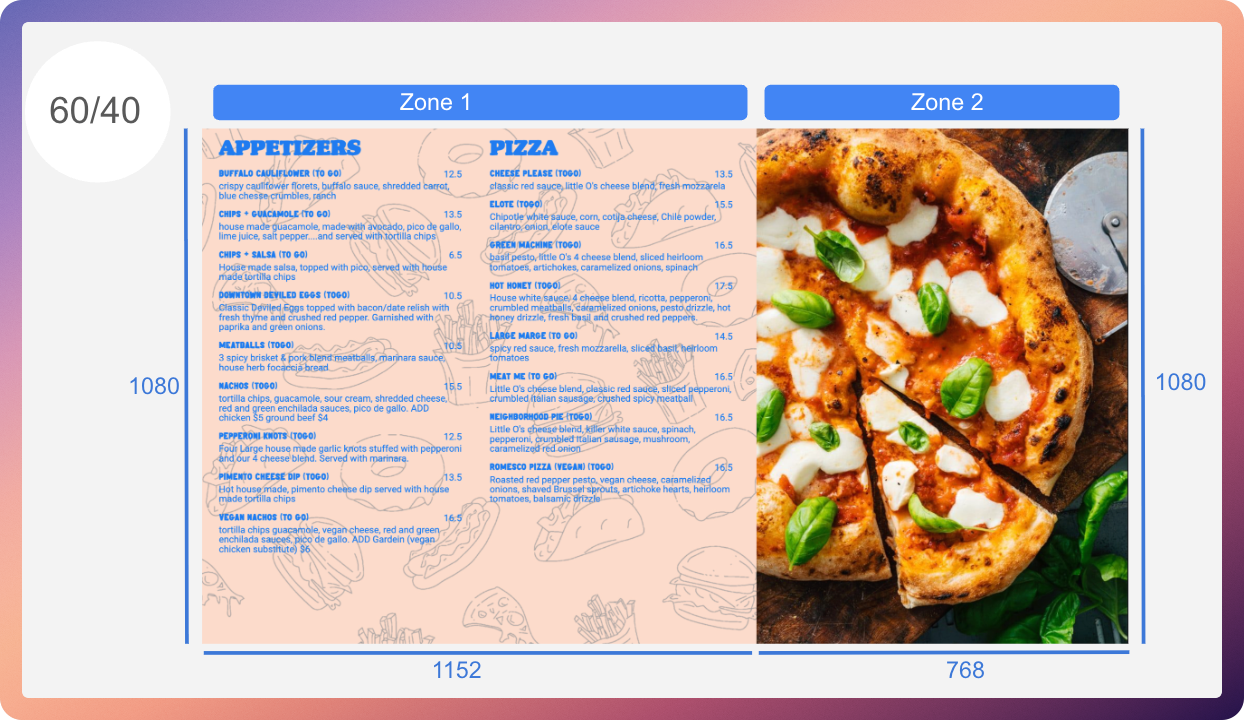
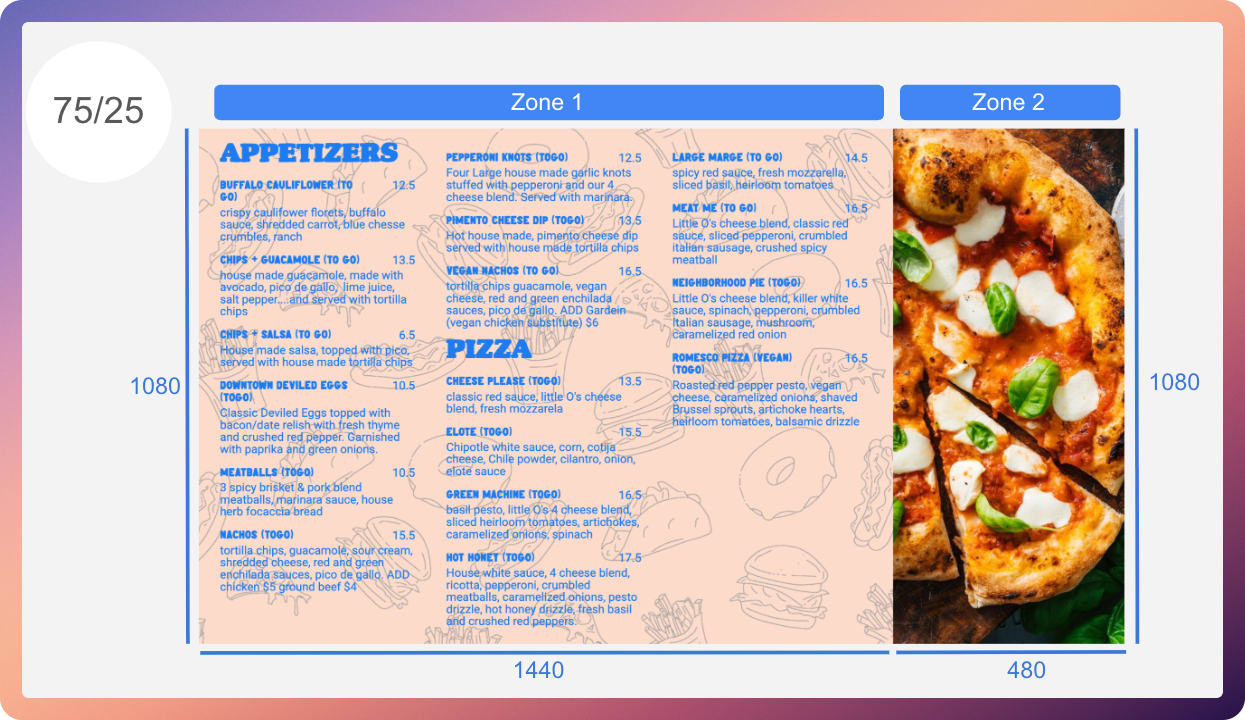
If you would like to optimize your images to best fit the different zones, below are the specific resolutions and zone sizes for each configuration.
Zone sizes
Section titled “Zone sizes”These dimensions reproduce the 1920 × 1080 layouts shown below. Values are width × height in pixels.
| Layout | Zone 1 | Zone 2 |
|---|---|---|
| 50/50 | 960 × 1080 | 960 × 1080 |
| 60/40 | 1152 × 1080 | 768 × 1080 |
| 75/25 | 1440 × 1080 | 480 × 1080 |
Related articles
Section titled “Related articles”- Create and understand presentations Understand how presentations work as the building blocks of your playlists, and create one with the right app and duration.
- Add QR codes to menus, flyers, or Multizone presentations Add a generated or uploaded QR code to a menu, flyer or Multizone presentation so customers can scan it to visit a web page.
- Supported screens and resolutions for Displai Confirm your TV, monitor, or projector works with Displai: it needs an HDMI port and a supported 16:9 native resolution.
Still having trouble?
Text the 24/7 line or email support.