


How-to · Hoopla
Add RSS ticker feeds in Hoopla
Add RSS feeds to your channel's ticker to show continuously updating news, sports scores, transit alerts or weather.
Adding a ticker feed to your Hoopla channel is a great way to provide important information to your employees while not having to constantly change out items.
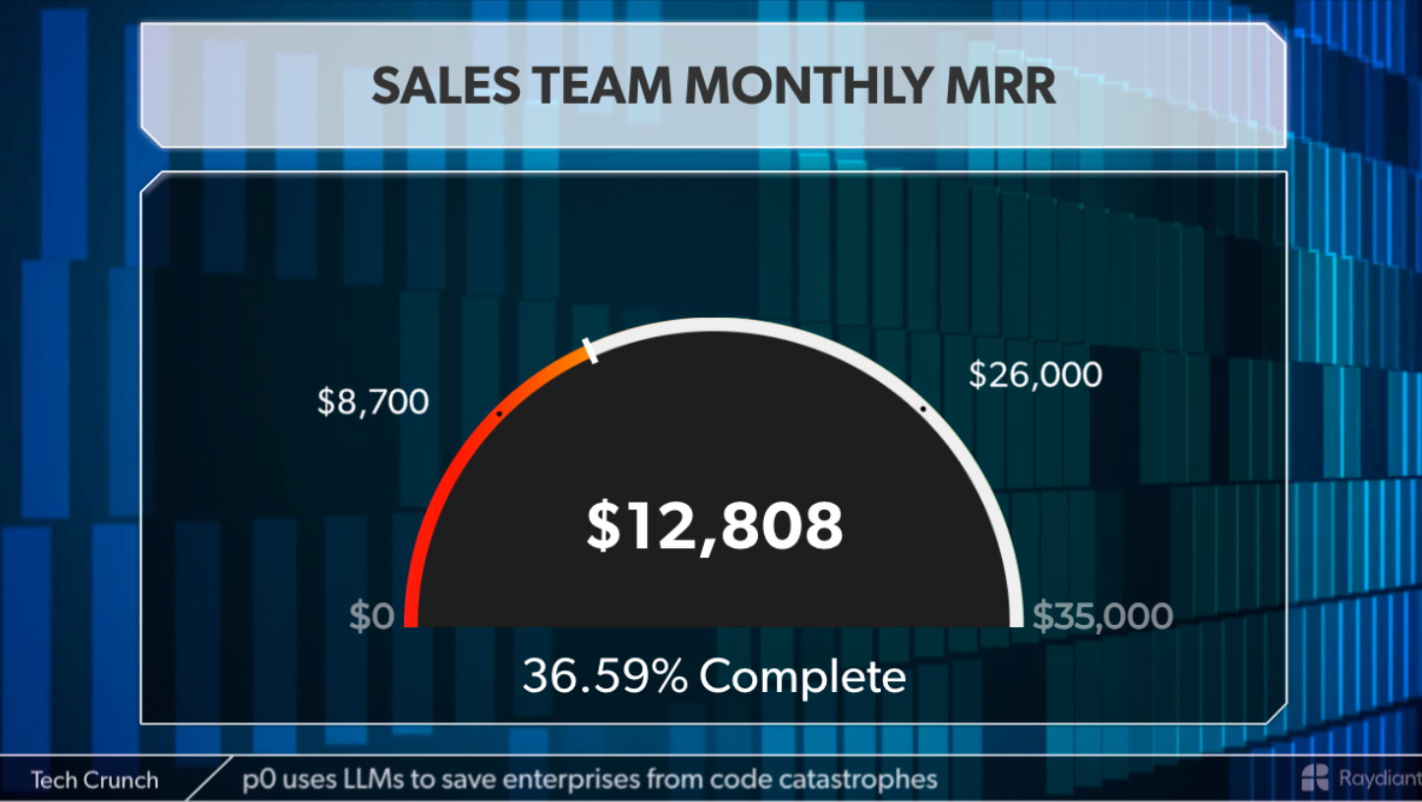
- ** It is important to note that the Twitter Feed option is no longer available in Hoopla ***
How to set up a RSS Ticker Feed
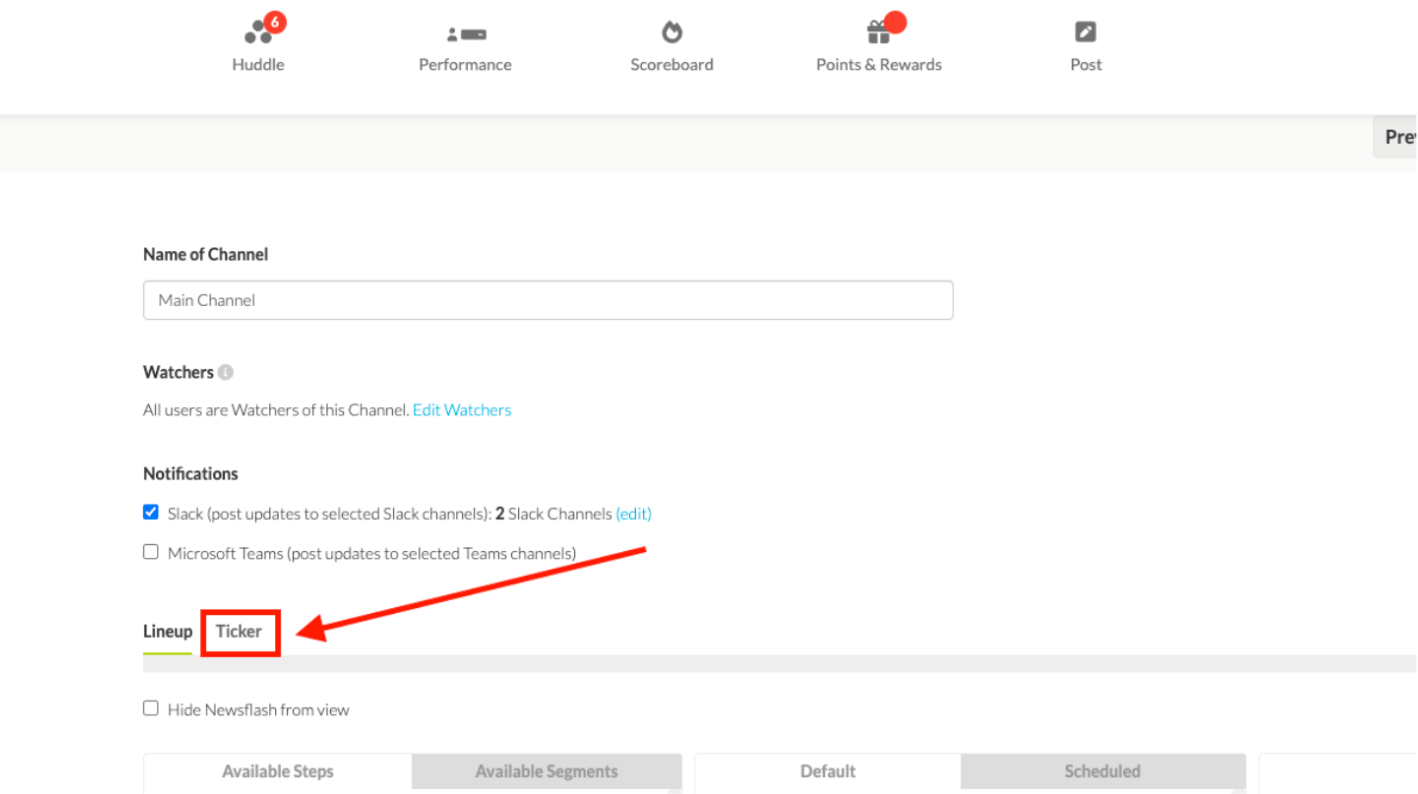
Section titled “How to set up a RSS Ticker Feed”The RSS Ticker Feed is set up in the Channel. Navigate to the Channel you would like to add a feed to and find the Ticker option:
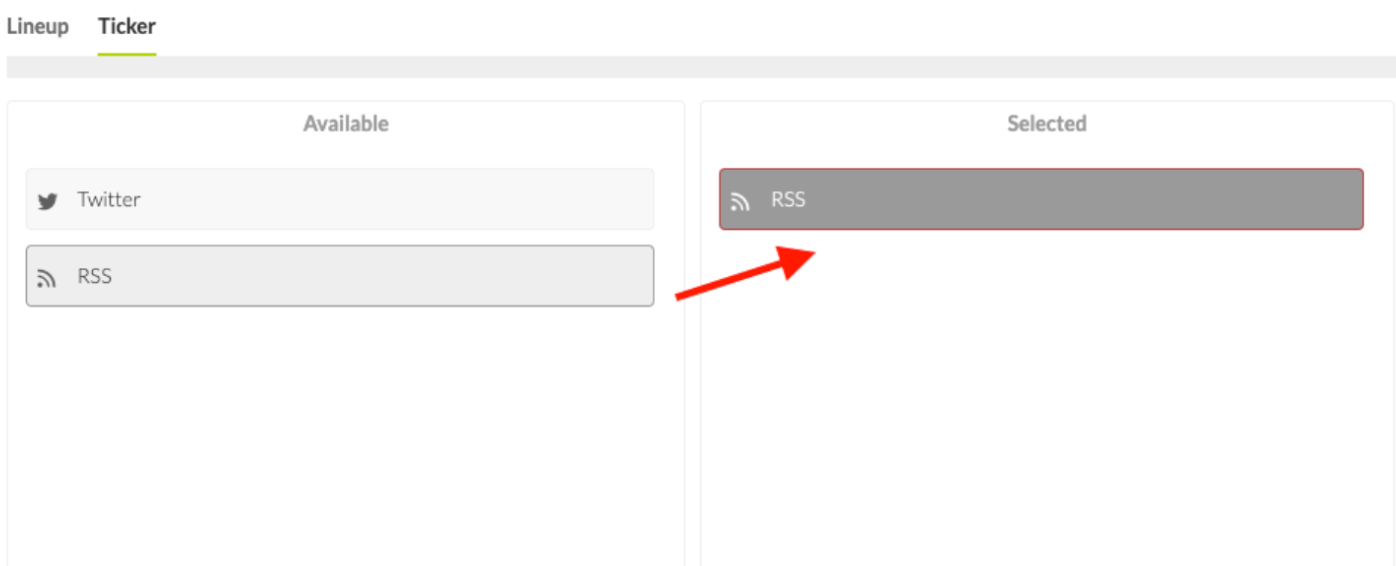
Once on the Ticker interface, drag over an RSS step from Available to Selected:
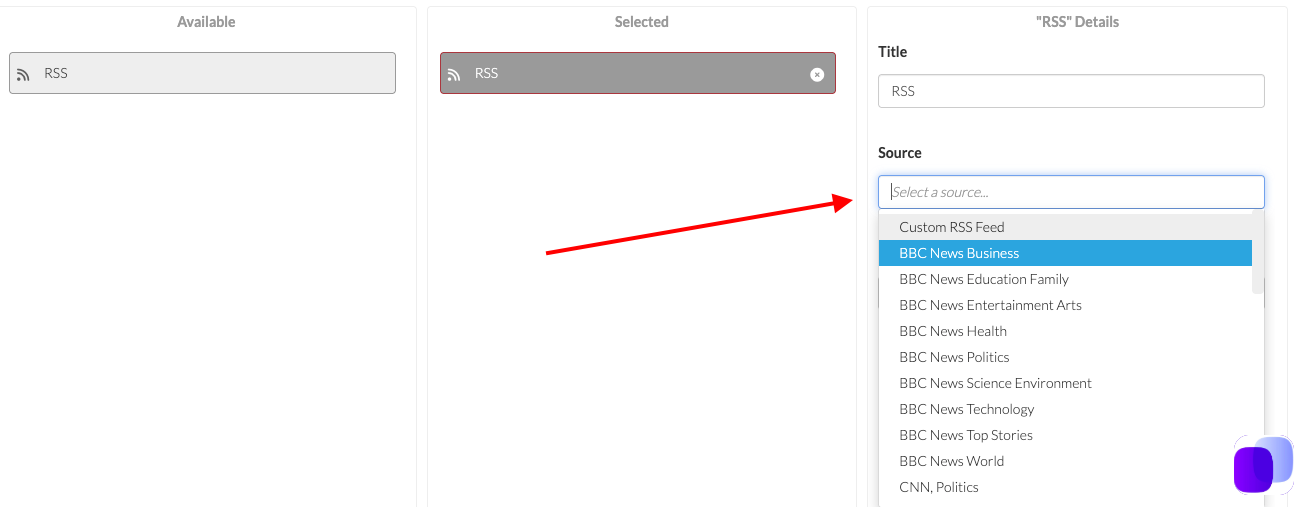
Use the source dropdown to choose a feed or add the URL of the RSS Feed you would like to display, Change the Title to the Feed name and choose how many stories you would like per feed in the Details section. You can add as many feeds as you’d like.
Then Save and you will see the Ticker appear in your channel. The feed will run no matter what is showing on the channel.
What Types of Feeds are Available
Section titled “What Types of Feeds are Available”There are several to choose from in the dropdown options, but you can also use the Custom RSS Feed to add whatever is relevant to your organization.
There are many types of RSS feeds but here are some common ones that are available for free:
Local News - Google your local news for RSS feeds. Many have more than one and you can choose the category you are interested in such as sports, business or live news.
Sports - Companies such as ESPN have many feeds, but local sports teams also sometimes have a feed so look for both.
Industry News - Many industry trade journals have RSS feeds that are available for free.
Transit Alerts - If your employees take public transportation, there is generally an alert feed that will tell you if there will be any delays or issues on your commute.
Weather - This can be found in local news, but NOAA also has options for the weather of specific locations.
Twitter to RSS - There are sites such as RSS.app that will take Twitter Feeds and make them RSS.
Build Your Own - There are many platforms out there that will help you build a custom feed.
Related articles
Section titled “Related articles”- Add content to your Hoopla lineup Add steps to a channel or reusable segment, from leaderboards and newsflashes to videos, web pages and countdowns, and configure each type.
- Create a channel Create a channel, add steps such as metrics, posts and leaderboards, then assign it to teams and publish it to your TV displays.
Still having trouble?
Email our support team.