


How-to · Hoopla
View task completion status in Hoopla
Check the completion percentage of a task message you sent and see which recipients still have tasks outstanding.
Task messages are our newest Huddle message type. If you are interested in using this feature, please reach out to support to enable the feature in your account.
As a Sender, you may want to view the task completion status for your sent task messages. To do so, follow the steps below.
Steps:
Section titled “Steps:”-
Log into your account, and navigate to the Post section.
-
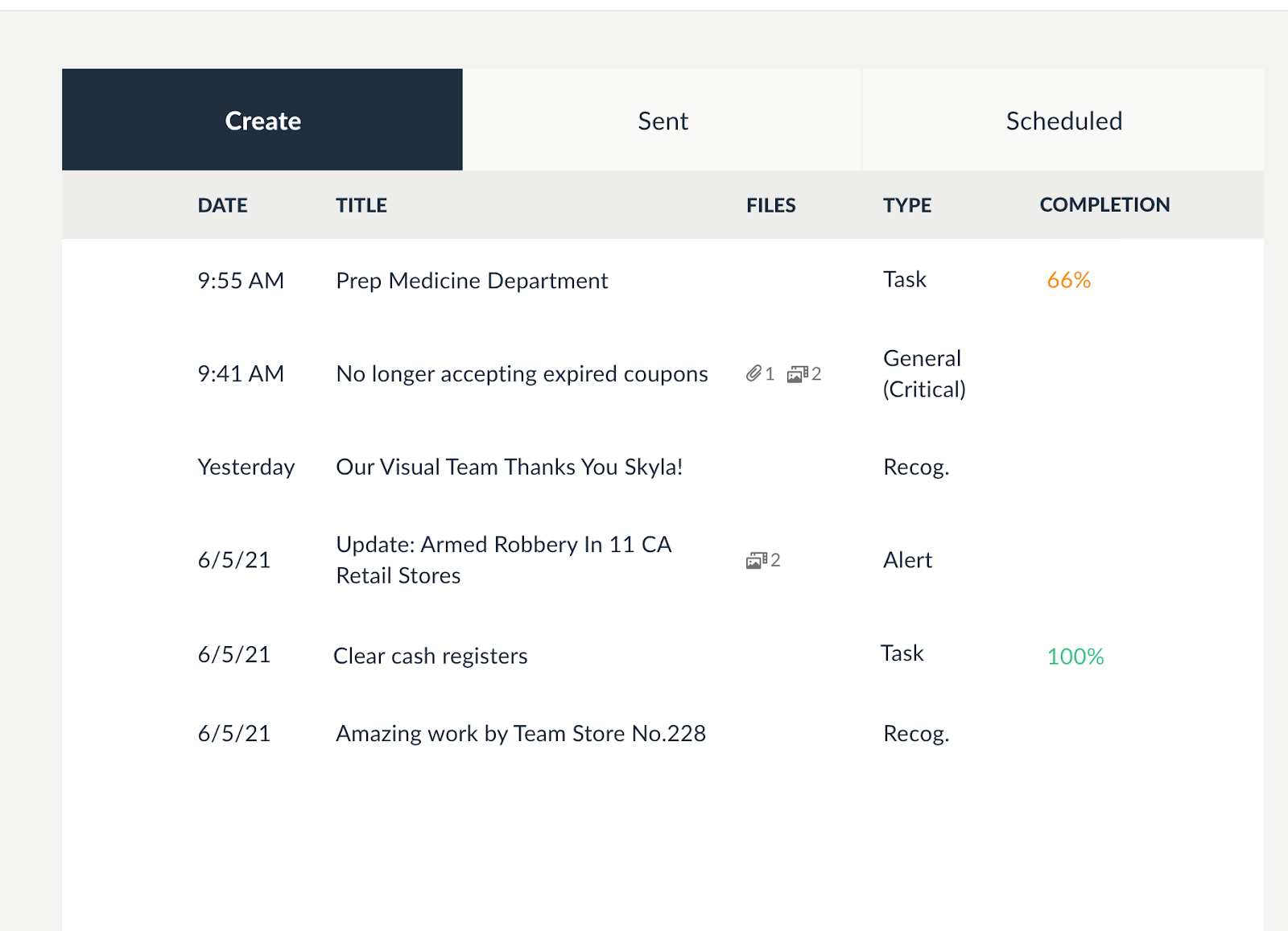
Within Post, click on the “Sent” subtab.
-
All Task messages will contain a Completion column, displaying the overall compilation percentage for that message.
-
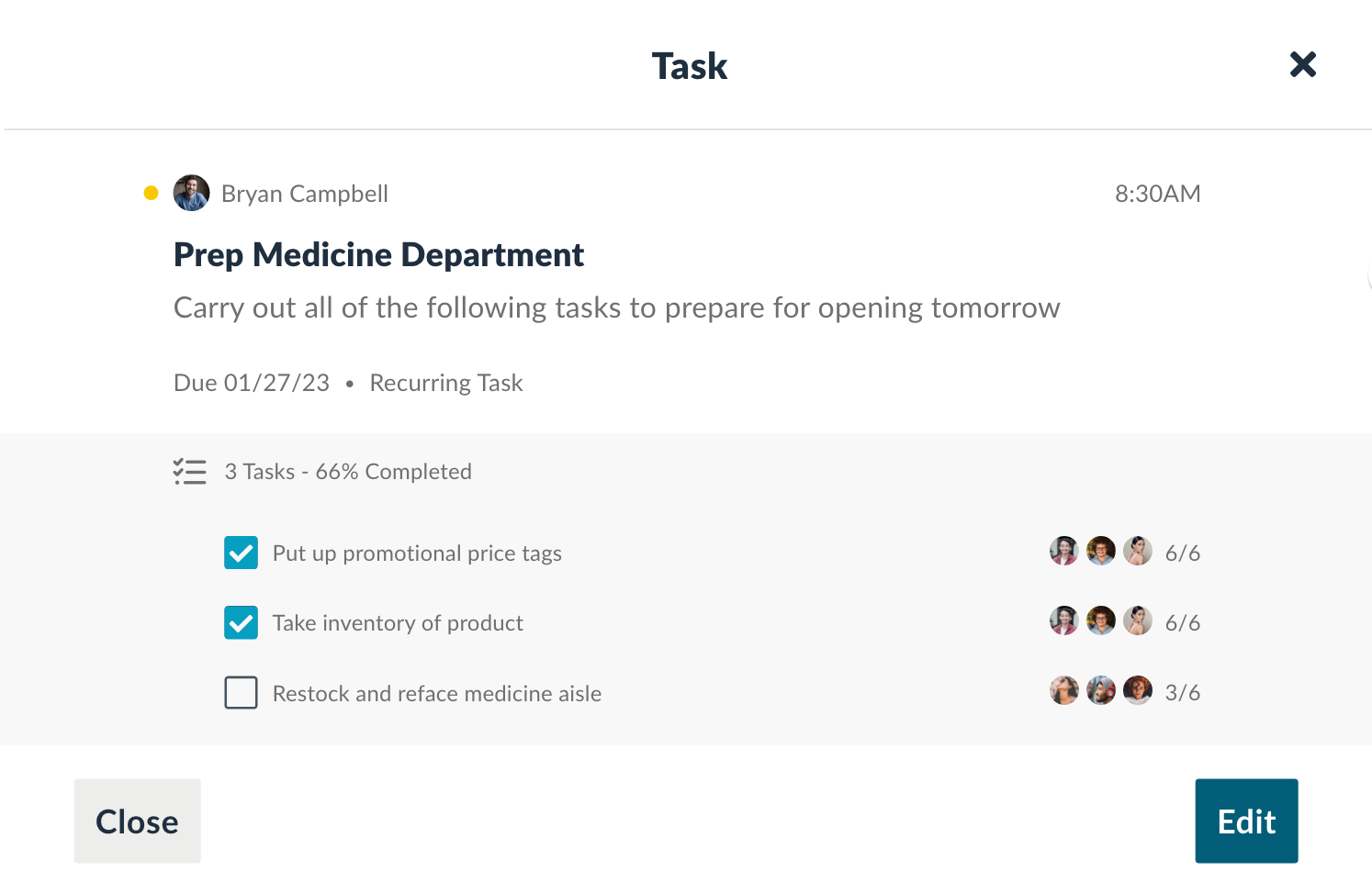
For more detailed information, click on that message to see who has completed the task(s) and who still has outstanding tasks to complete.
Related articles
Section titled “Related articles”- Send a task message in Hoopla Assign action items to users and teams with a task message from the Post tab, with optional due dates, recurrence, and attachments.
- Complete tasks in Hoopla Huddle Check off the tasks in a Huddle task message, track your completion percentage and filter your feed to show task messages.
- Schedule a recurring task in Hoopla Send the same task to your team on a daily, weekly, or monthly schedule, with an optional end date.
Still having trouble?
Email our support team.