


How-to · Hoopla
View and manage leaderboards in the Scoreboard section
Browse the leaderboards you play on or watch in the Scoreboard, pin favorites, check your ranking, and challenge players to a Face-Off.
The Scoreboard Leaderboard section lets you have more control over which Leaderboards you want to see and is mobile responsive.
Navigate to the section by selecting the Scoreboard icon at the top of the page:
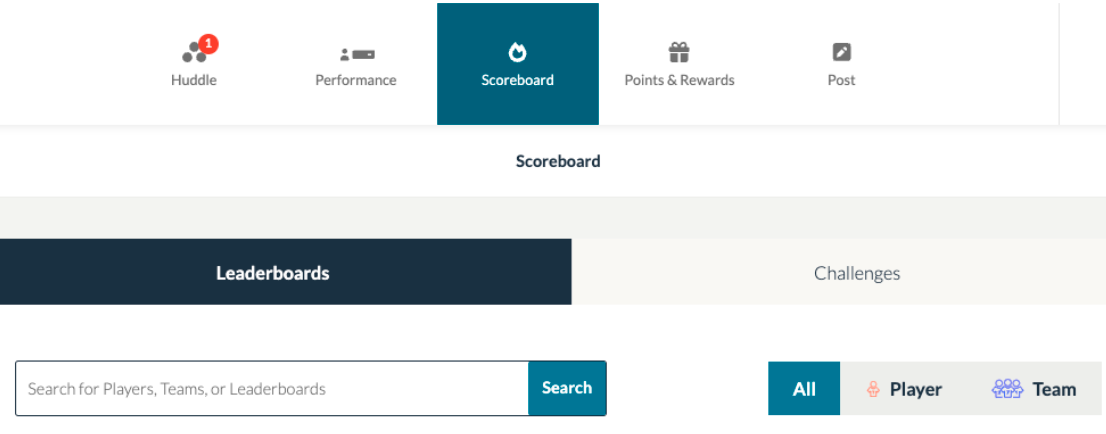
Once there you’ll see all the Leaderboards that you are either a player on or a watcher of. You can Pin any of the boards to bring them to the top of the display. Each card will show the top players or teams and if you are a player, it will show where you rank on the board.
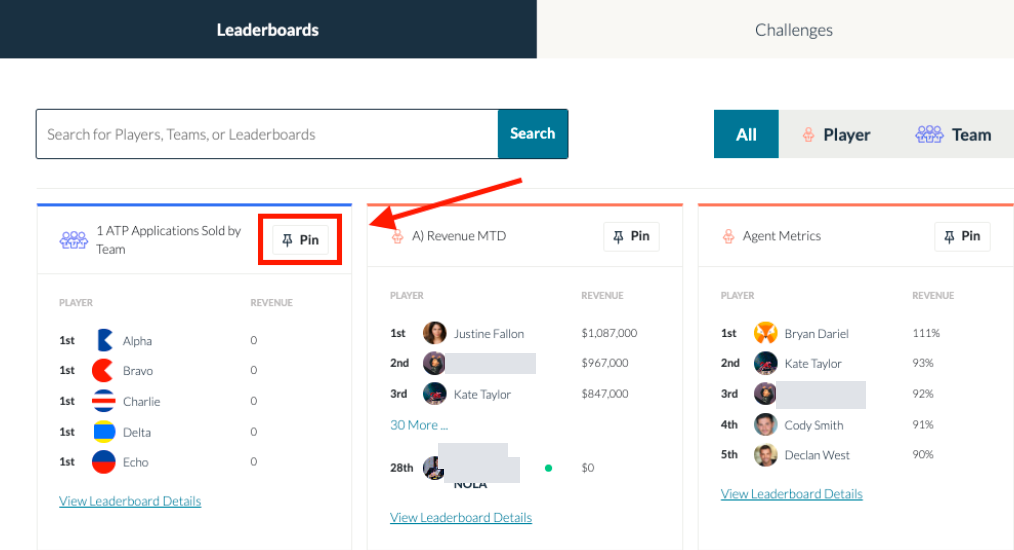
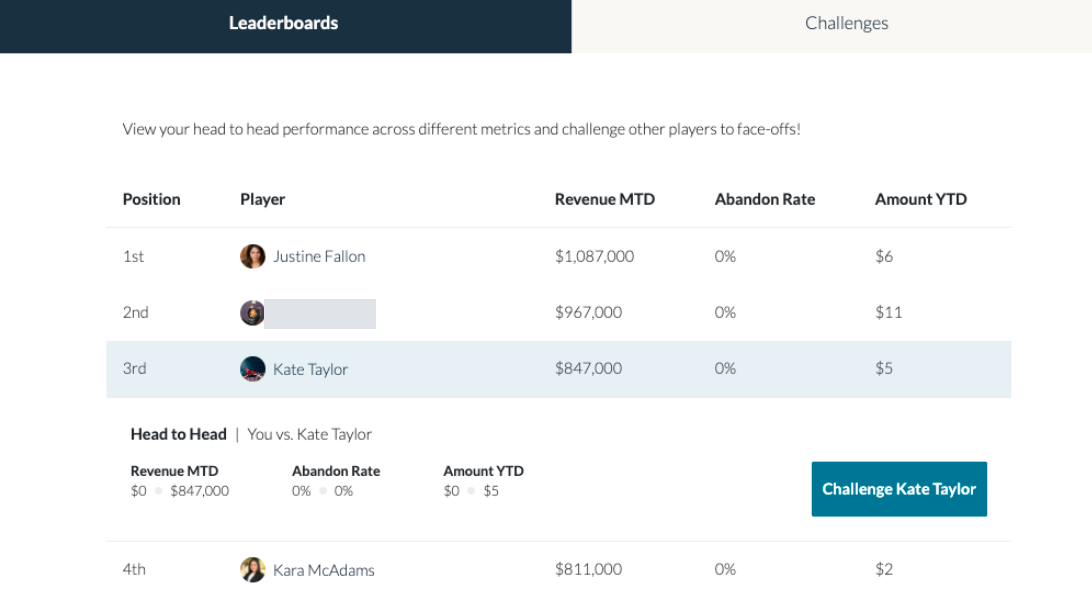
If you “View Leaderboard Details” you will see the complete rankings for the leaderboard and if you click on a player, you will be able to challenge that player to a Face-Off.
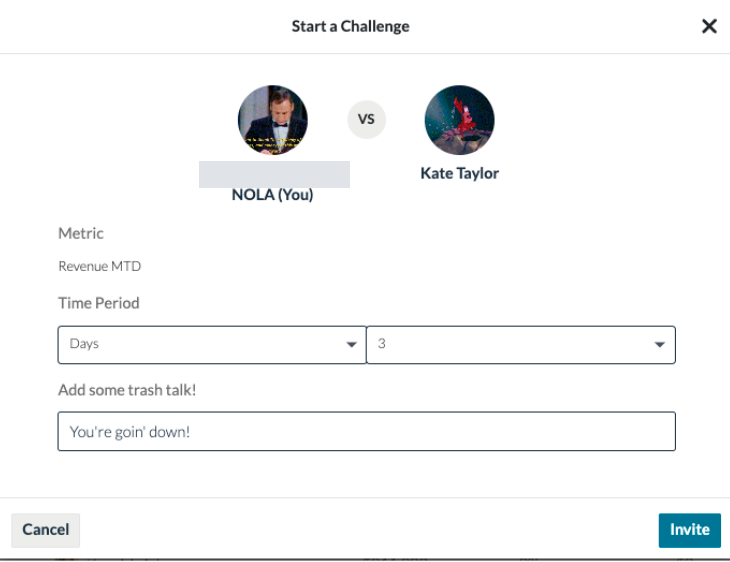
When you select Challenge, it will bring up a screen where you will select the time period for the challenge and talk some trash.
To accept the challenge you can navigate to the Challenge Section of the Scoreboard.
Click here to learn about the Challenge Section.
Related articles
Section titled “Related articles”- View and respond to challenges in Hoopla See your active, upcoming, and recent challenges in the Scoreboard and accept or decline challenge invitations.
- Start a faceoff with another user Challenge a teammate to a head-to-head faceoff on a shared leaderboard metric from the Scoreboard tab.
- View your rankings on leaderboards Open the Rankings tab to see your position and metric values on leaderboards where you are a player or watcher.
Still having trouble?
Email our support team.