


Concept · Hoopla
Slack notifications in Hoopla
See which newsflashes, leaderboard snapshots, birthdays, anniversaries and challenge updates Hoopla can post to your Slack channels.
With Slack notifications, you no longer need to stress about important announcements getting missed if you’re away from the TV or working remotely. Set up your Hoopla Channel to send Newsflashes, Leaderboards, Birthday/Anniversaries, and Challenge announcements directly to Slack Channels.
Newsflashes
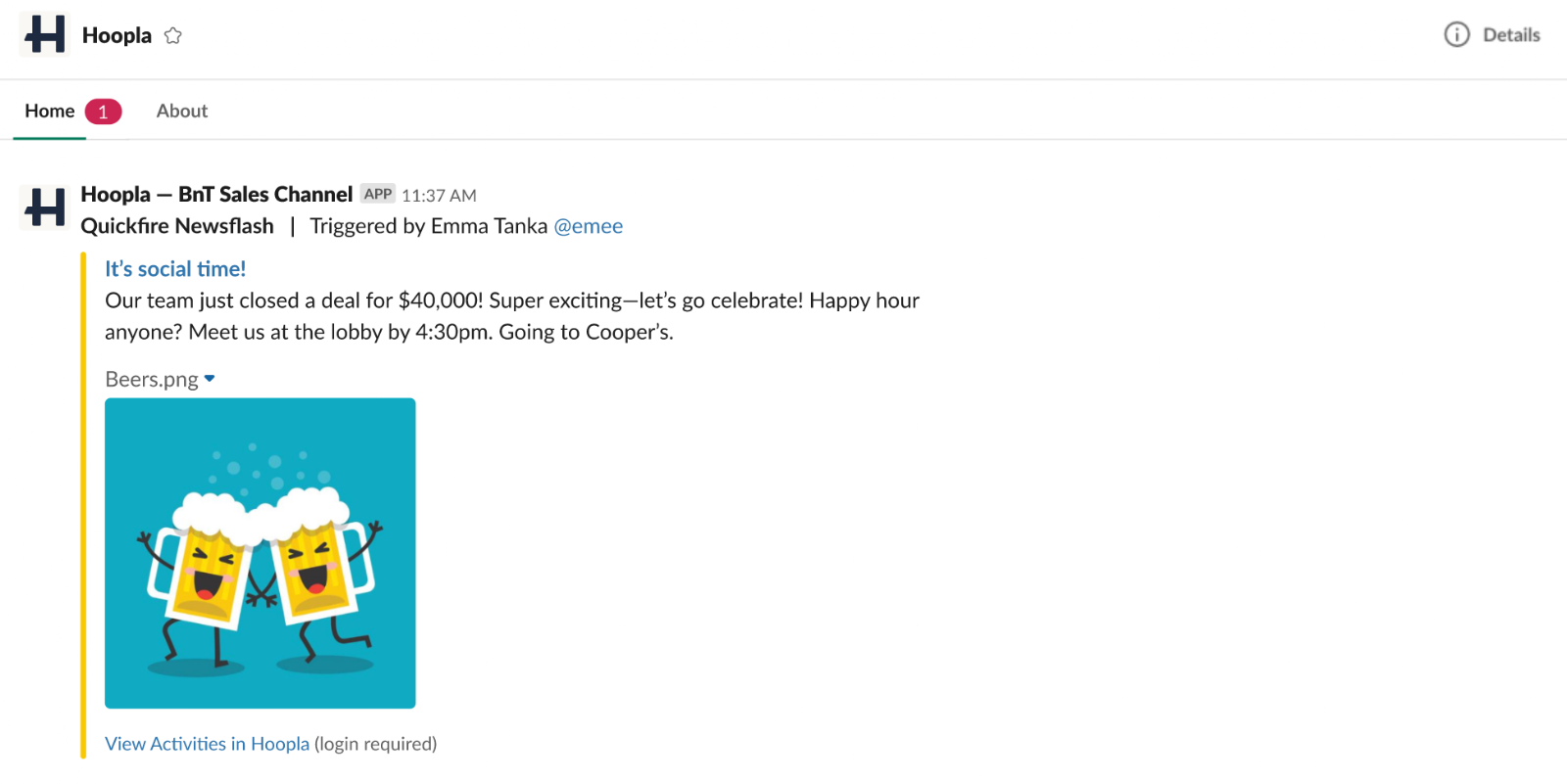
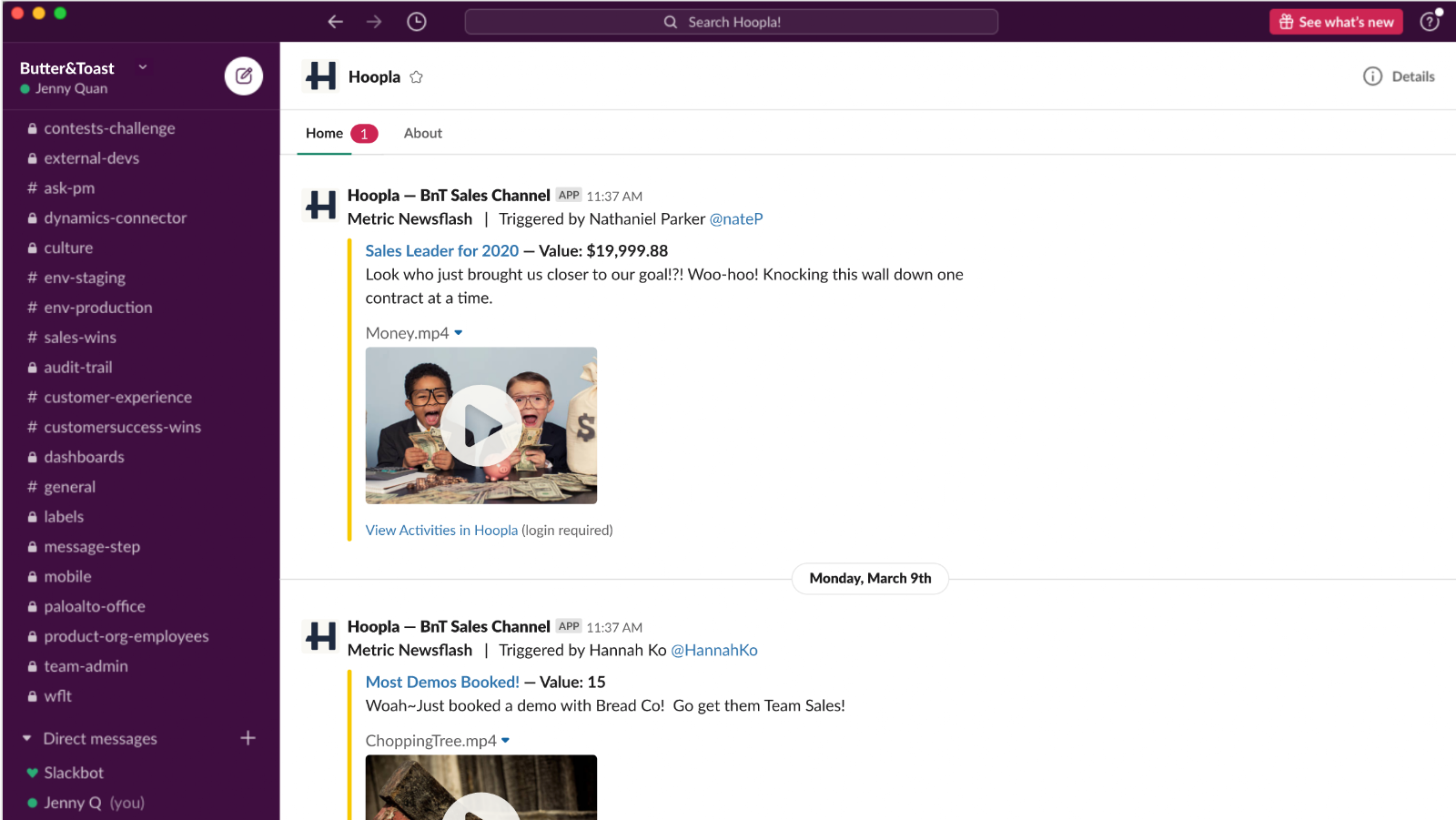
Section titled “Newsflashes”Hoopla will send any Newsflashes in your Hoopla channel directly to a specified Slack channel. Once the trigger criteria is met, the Newsflash will be posted on Slack - simply put, if it fires on the TV, you’ll see it in Slack. Any user in that Slack channel will be able to see the Newsflash, as well as be able to replay the Newsflash in a new window (by clicking ‘Replay Newsflash). Here is how they’ll look:
Leaderboards
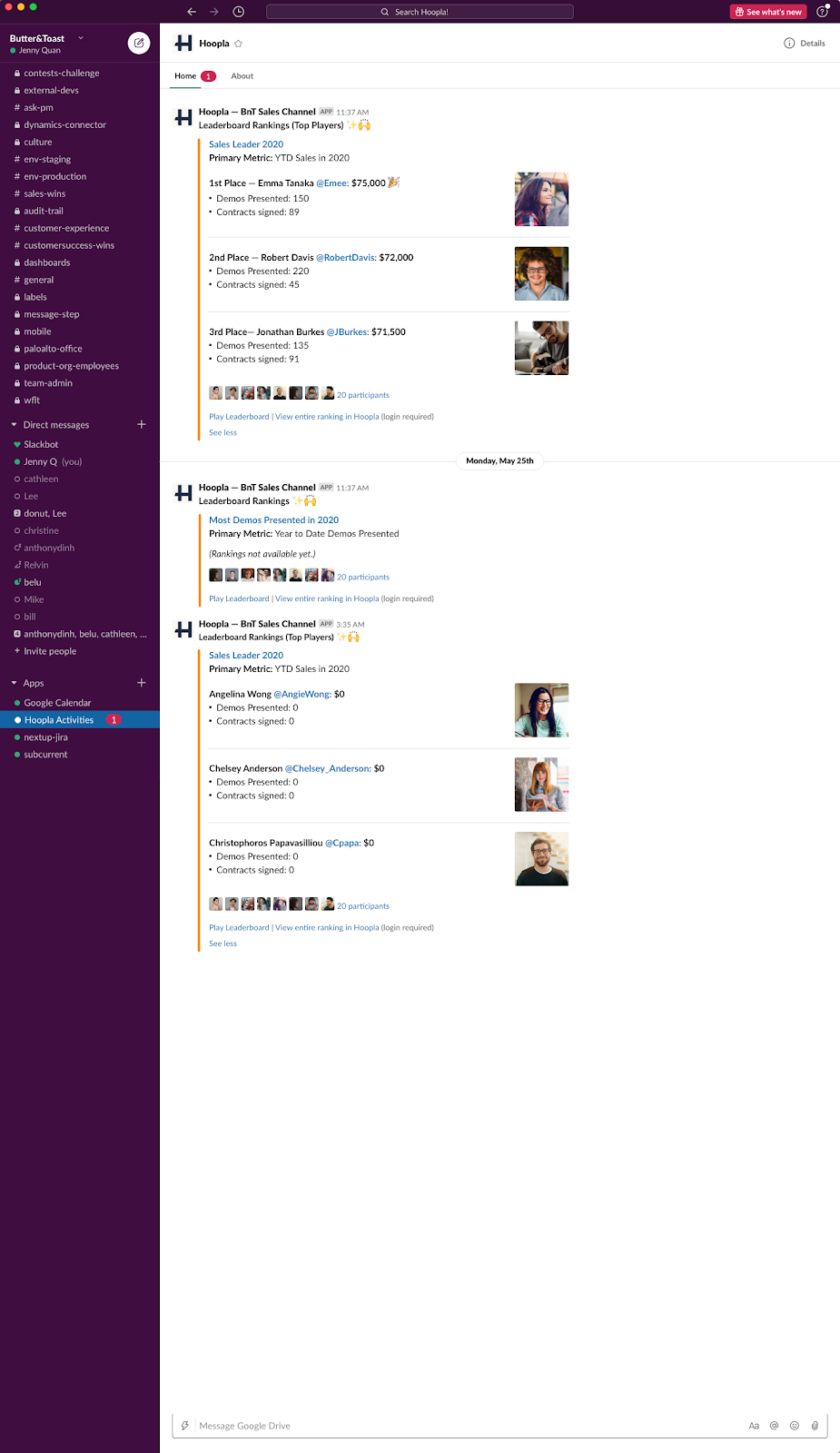
Section titled “Leaderboards”Leaderboards within a channel can be scheduled to post 3 times per day, daily and weekly.
Birthdays and Anniversaries
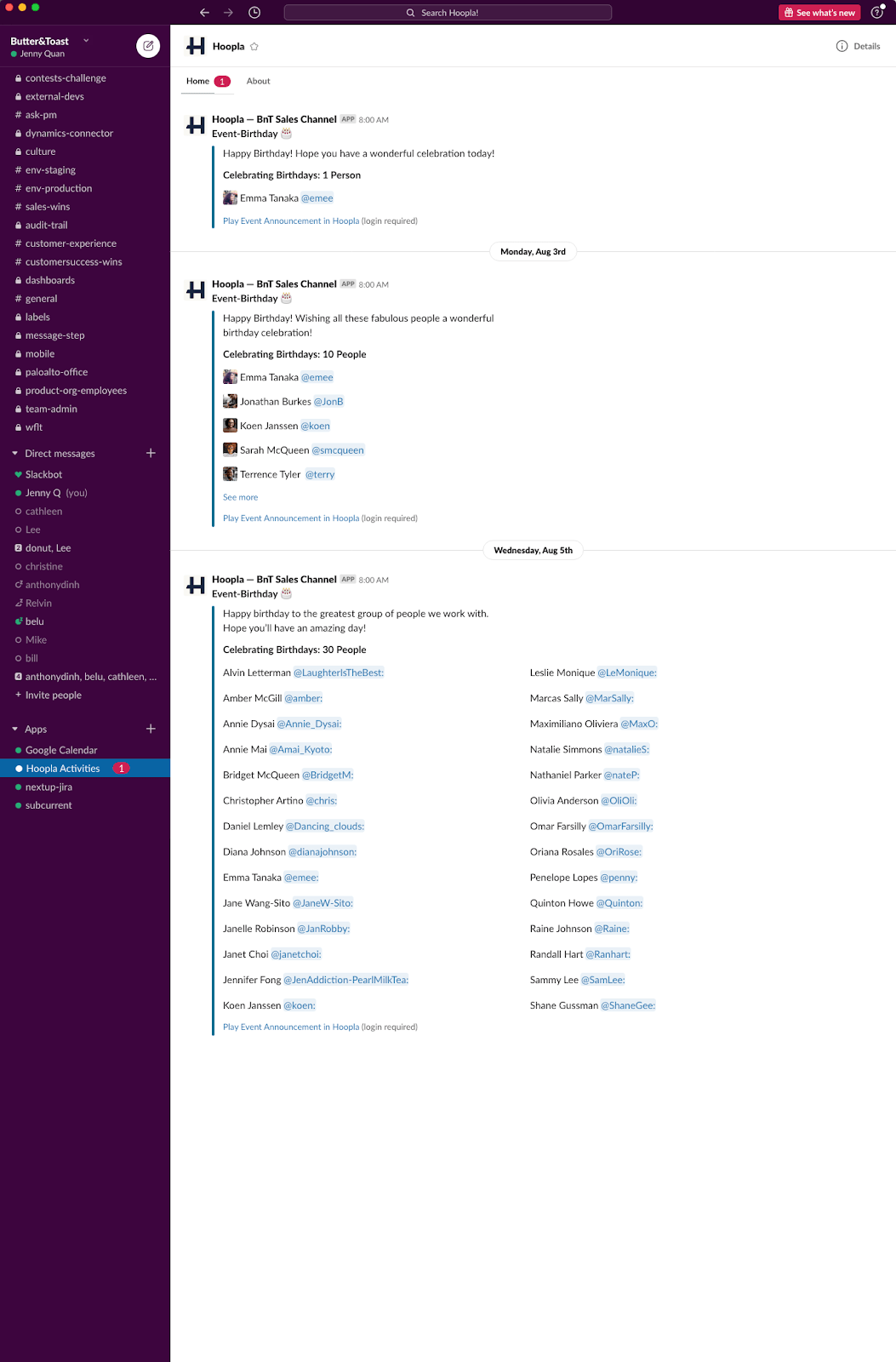
Section titled “Birthdays and Anniversaries”Hoopla will send a Slack message to those who are having a birthday and/or anniversary on their special day.
Challenges
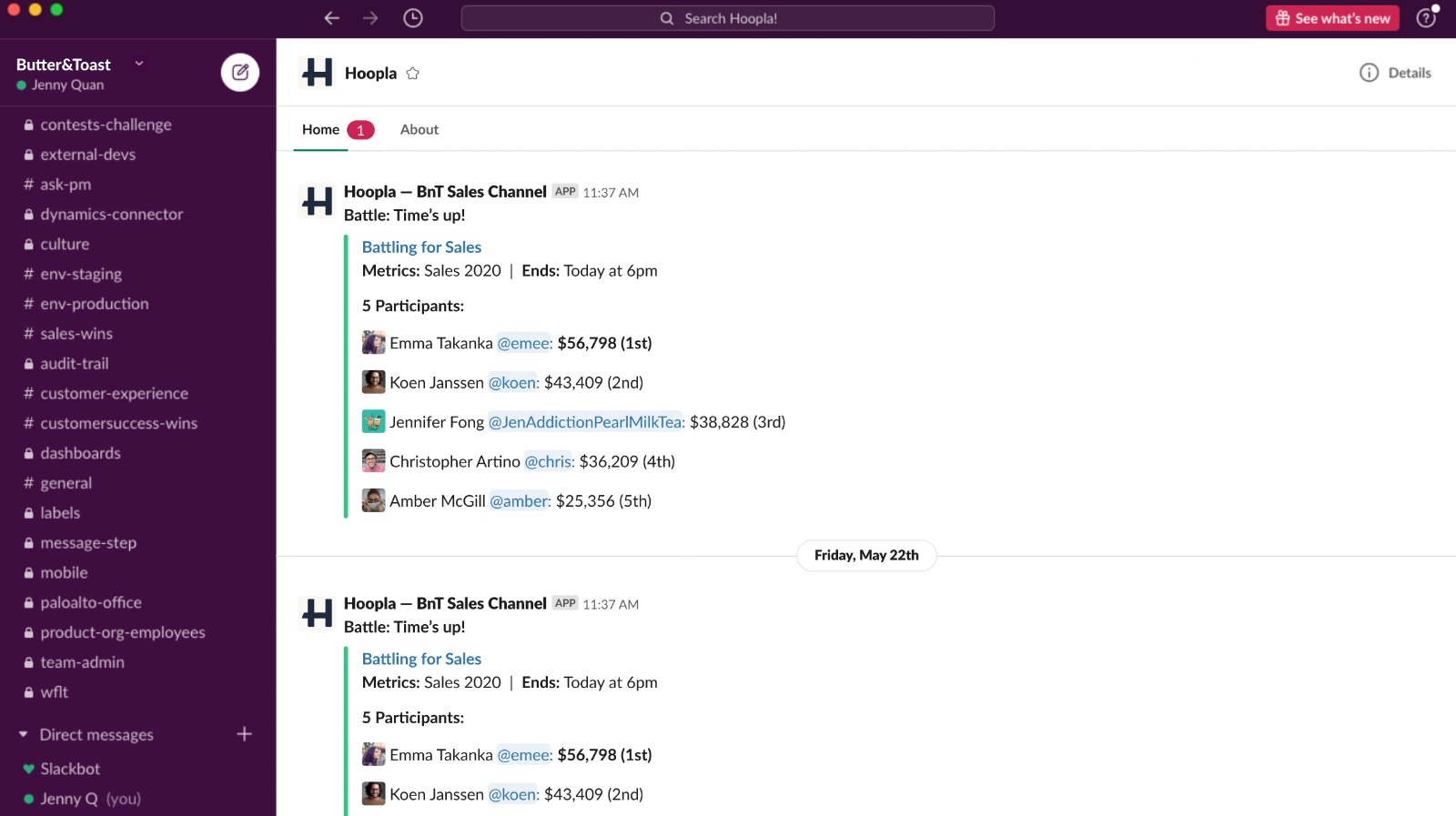
Section titled “Challenges”Hoopla will send all challenges notifications for active challenges in your Hoopla channel directly to a specified Slack channel. We’ll notify the Slack channel when a challenge has started and when a challenge has ended, listing out the challenge type, participants and other challenge details (including the final score). Any user in that Slack channel will be able to see the challenge notification, as well as be able to replay the challenge announcement in a new window. Here is how challenge notifications will look:
Related articles
Section titled “Related articles”- Set up Slack notifications in Hoopla Push Hoopla newsflashes, challenges, calendar events, and leaderboard updates into public or private Slack channels.
- Authenticate Slack integration for Hoopla Connect your Slack workspace to Hoopla with OAuth, the first step before setting up Slack newsflashes or Slack patterns.
- Using Hoopla with Slack: player and fan guide See and interact with Hoopla newsflashes, challenges, leaderboards, and calendar events in Slack, and post a newsflash with /hoopla.
Still having trouble?
Email our support team.