


How-to · Hoopla
Verify a Hoopla player's Salesforce login
Verify a player's Salesforce user account so they can sign in to Hoopla with the Login with Salesforce option.
This is a security feature from our sign-in system. It is designed so that another user cannot just enter a player’s Salesforce Username and access the system.
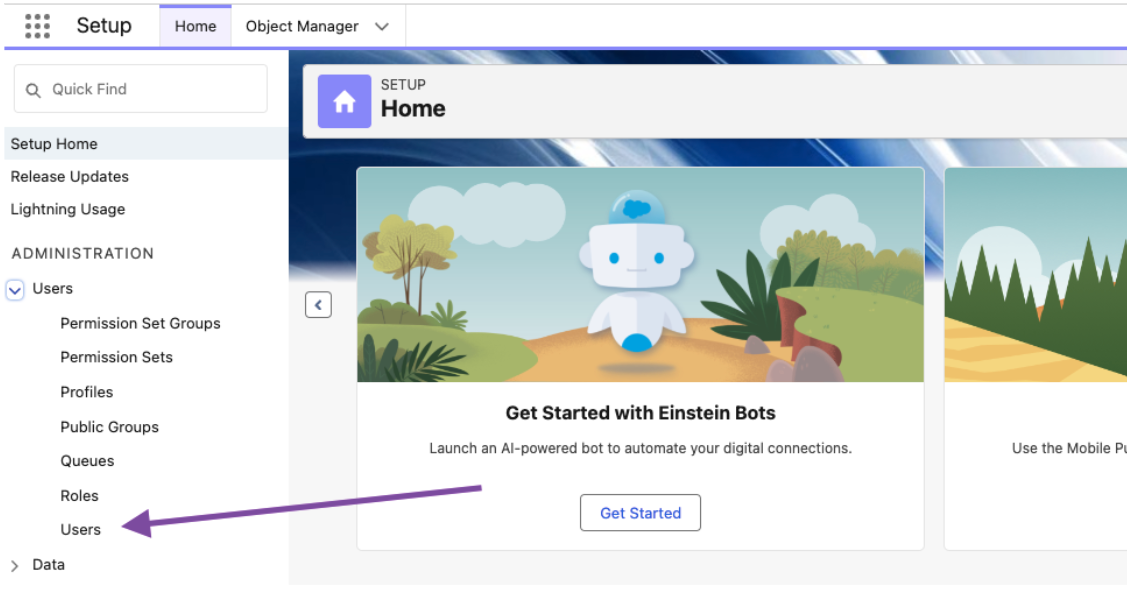
To verify the user, go to setup in Salesforce and navigate to users:
Locate the user who needs to be verified and click the Verify link:

Salesforce will send out a verification email to the user and once verified, they will be able to log into Hoopla using the Login with Salesforce option.
Related articles
Section titled “Related articles”- Salesforce users unable to login to Hoopla Fix the account-not-connected error on Login with Salesforce by making sure the user meets your Salesforce user report criteria.
- Connect Salesforce to Hoopla Connect your Salesforce org to Hoopla, see which permissions it requests, and fix common authorization and data sync problems.
Still having trouble?
Email our support team.