


How-to · Hoopla
Connect Hoopla to Excel Online
Connect Hoopla to your Business Office 365 account so you can export metric data to Excel Online and import processed data back.
Hoopla Excel Online integration enables you to export data from Hoopla to Excel Online, and import data from Excel Online to Hoopla. In an Excel spreadsheet, you can perform calculations on your Metric data, producing more sophisticated Metrics that can then be pushed back into Hoopla. You do not have to map data in both directions, but it certainly opens up some fun possibilities if you’re also using the Salesforce integration!
Connecting to Excel Online
Section titled “Connecting to Excel Online”-
In Hoopla Configuration click on the Add Integration menu in the upper right corner, and select Excel Online.
-
Click on the Excel Online tile that was just added to the Config home page.
-
Connect to your Office365* account by clicking the Authenticate with OAuth button. You may need to log in to your Office365 account, if you haven’t already. Note: If you’re logged in to multiple accounts, select the account that contains the data you intend to connect with Hoopla.
-
Click Allow to connect your account with Hoopla.
What type of Excel accounts are supported?
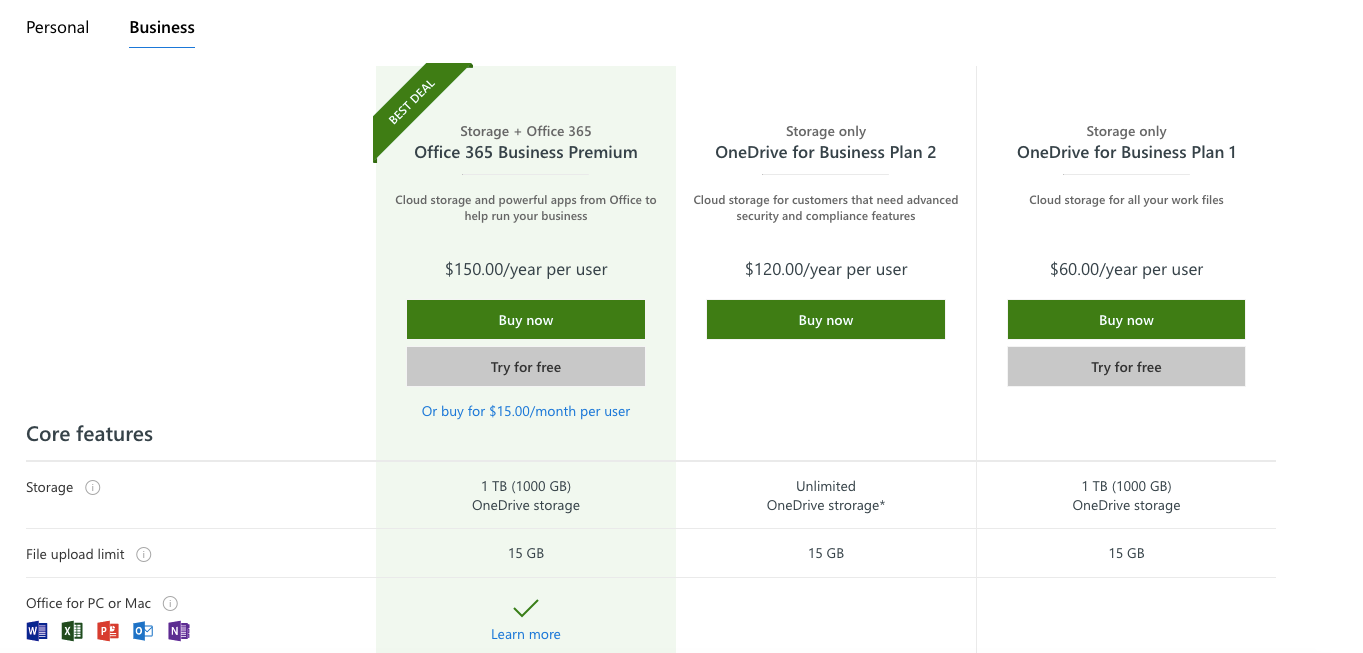
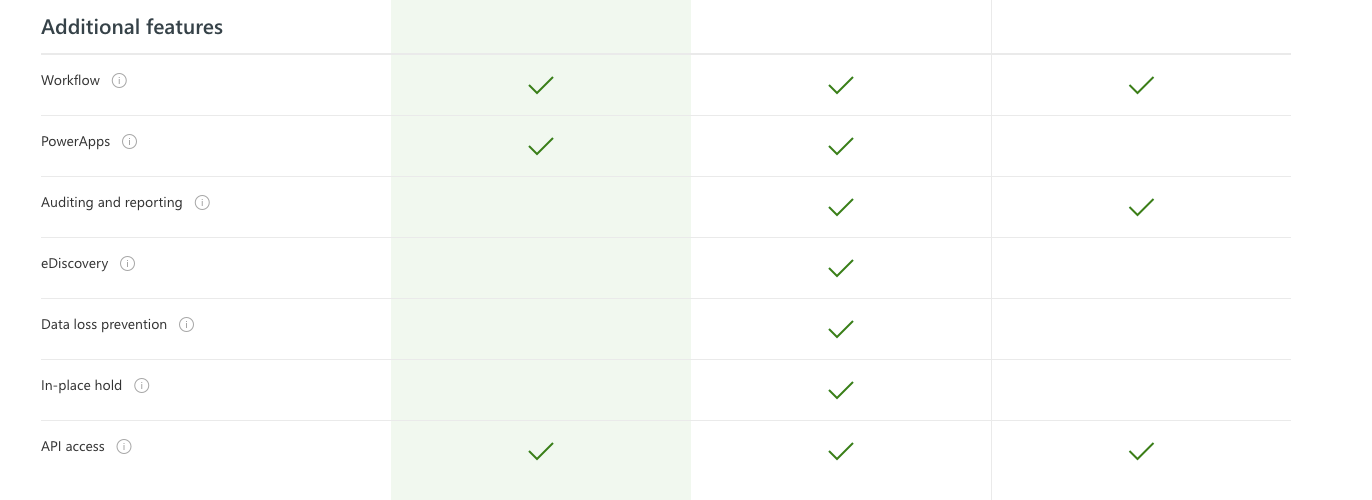
Section titled “What type of Excel accounts are supported?”Excel Online can be found in a variety of Office365 accounts, but we only integrate with Business accounts with access to One Drive (and the One Drive API). If you have a personal Office365 account, unfortunately, you will not be able to use our Excel Online integration. Check out this chart to see the types of business accounts that are supported with this integration.
If you are unsure if you have the correct account type, don’t fret! We will be able to detect your account type when you attempt to authorize the integration.
Related articles
Section titled “Related articles”- Map Hoopla data to Excel Online Export Hoopla metric data to the Hoopla Mapped tab of an Excel Online workbook on a schedule for calculations, reporting, or analysis.
- Map data from Excel Online to Hoopla metrics Automatically update Hoopla player or team metrics from an Excel Online workbook by mapping sheet columns to metrics on a sync schedule.
- Display data tables from Excel Online in Hoopla Show up to four columns from an Excel Online spreadsheet as a data table on your Hoopla screens, synced on a schedule you set.
Still having trouble?
Email our support team.