


How-to · Hoopla
View and respond to challenges in Hoopla
See your active, upcoming, and recent challenges in the Scoreboard and accept or decline challenge invitations.
In the Challenge section, you can see any challenge invites along with upcoming, current and recent challenges that you are either a player or a watcher of.
Navigate to the section by selecting the Scoreboard icon at the top of the page and then selecting Challenges:
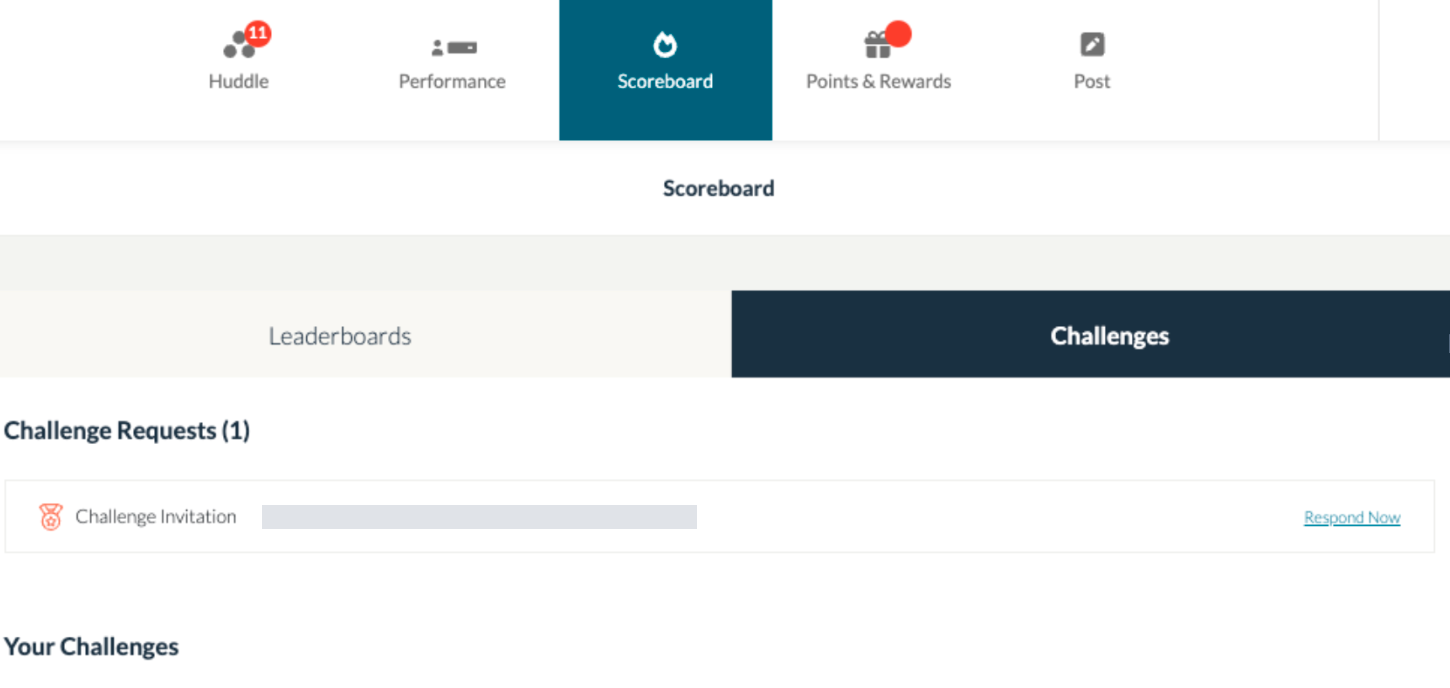
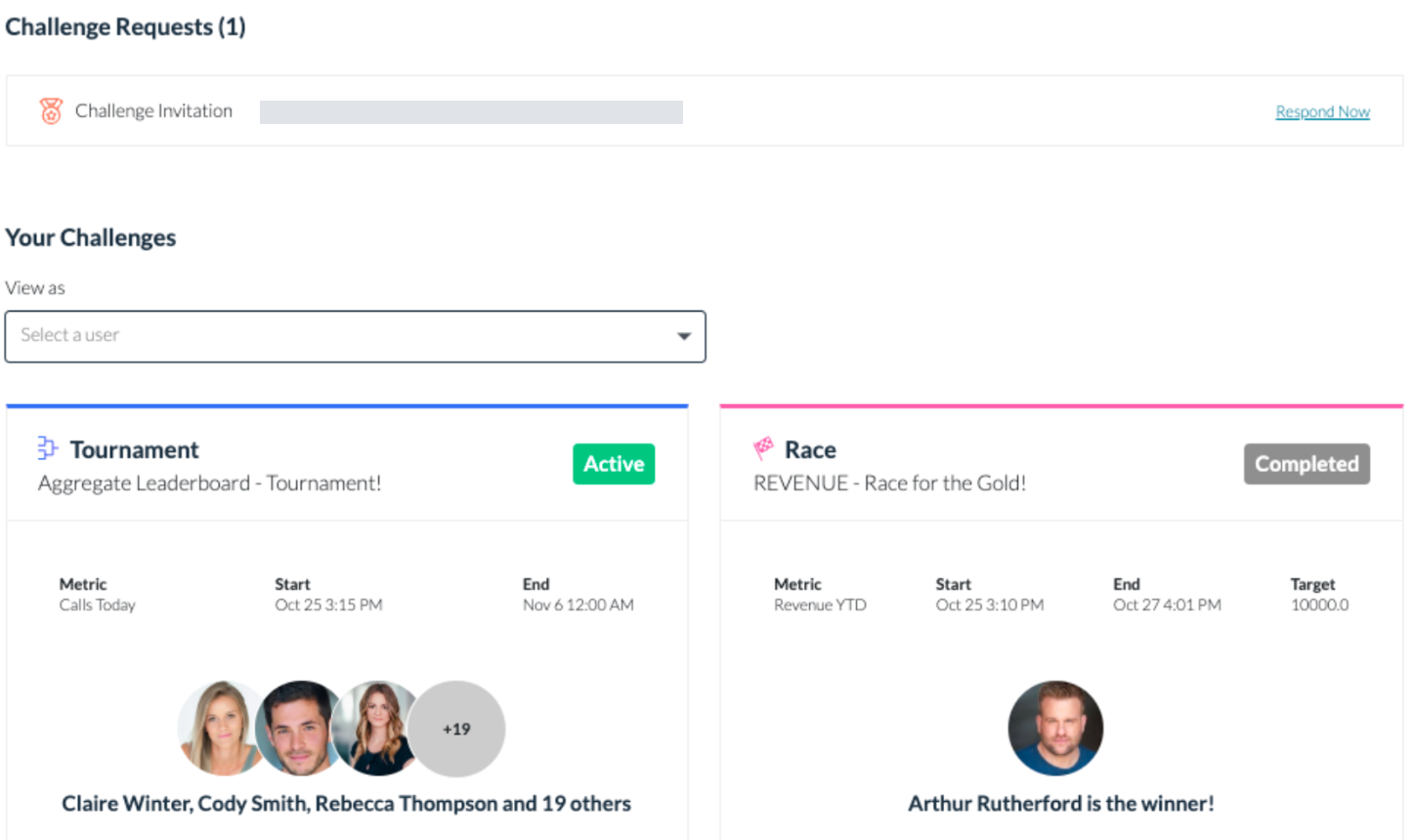
Once there, you will see any Challenge Requests you have along with any active challenges, completed, in sudden death or upcoming.
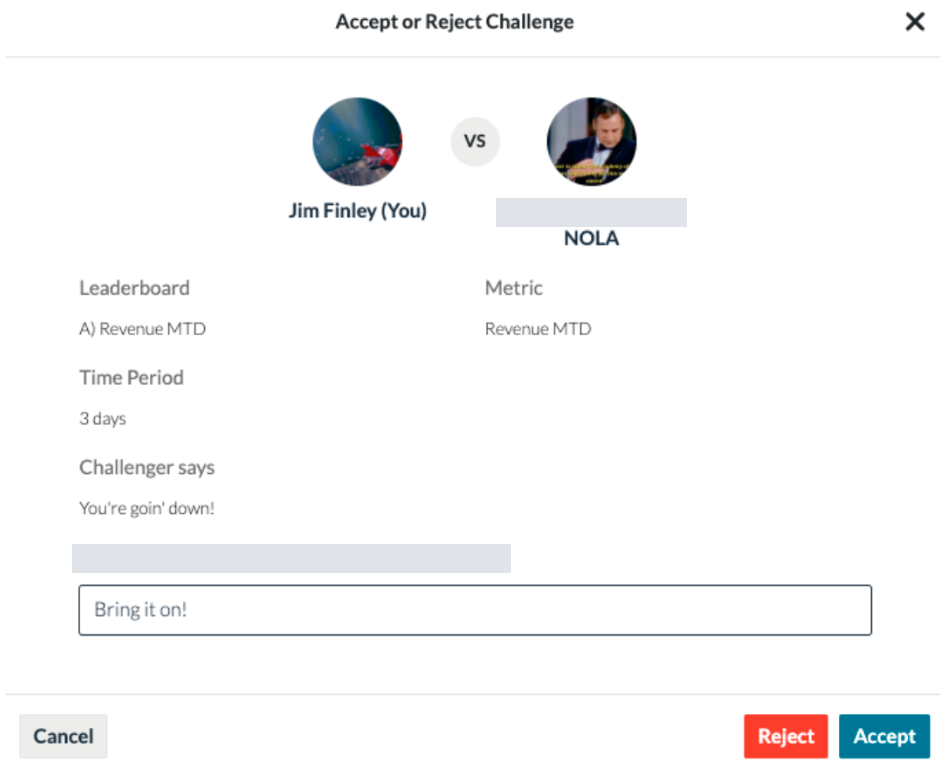
To accept or decline requests, choose “respond now”. A screen will pop-up with information on the request. You will be able to accept or decline in the bottom right corner.
To see the current scores on a challenge, click view details.
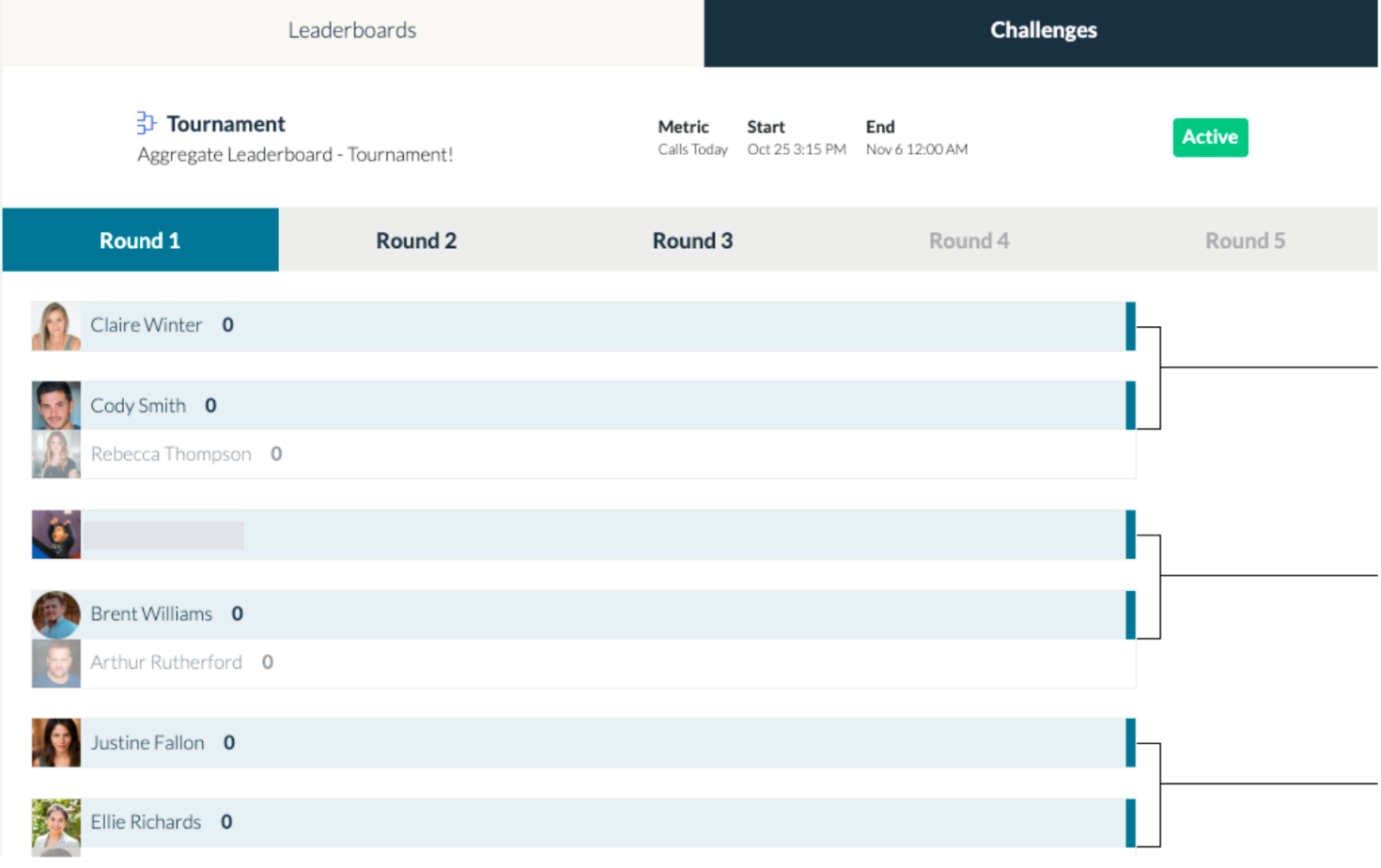
The challenge scores will be displayed depending on the type of challenge.
Related articles
Section titled “Related articles”- Challenge types - tips Plan challenges that keep your team engaged, with tips on challenge types, goals, prizes, duration and common mistakes to avoid.
- Start a faceoff with another user Challenge a teammate to a head-to-head faceoff on a shared leaderboard metric from the Scoreboard tab.
- View recent activities in Hoopla Filter your Hoopla Activity feed, like and comment on items, and repost or replay newsflashes.
Still having trouble?
Email our support team.