


Reference · Hoopla
Content Management error notifications
Understand empty-tag notifications and update channel content to stop the error.
Content Management Tag Error Emails
Section titled “Content Management Tag Error Emails”Overview
Section titled “Overview”A recent Hoopla update introduced a new feature that automatically sends a notification email when a Content Management folder or tag is empty. This is designed to help prevent blank steps from appearing in your channels.
What to Expect
Section titled “What to Expect”-
A separate email is sent for each empty tag or folder in Content Management.
-
An email is sent to every Admin on the account for each empty tag/folder.
-
If your account has many empty tags, you may receive a large volume of these emails.
How to Stop Receiving These Emails
Section titled “How to Stop Receiving These Emails”You have two options to stop receiving Content Management tag error notifications:
-
Delete the empty tag or folder If you no longer use the tag or folder referenced in the email, simply remove it from Content Management.
-
Change your admin role Update your role from Admin to Team Admin to stop receiving these notifications.
How to find the tag/folder name
Section titled “How to find the tag/folder name”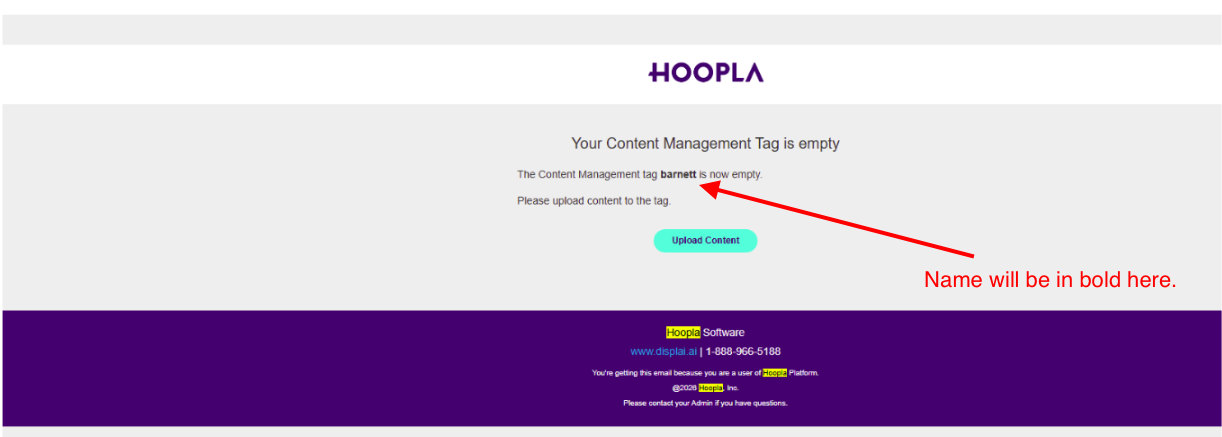
Still having trouble?
Email our support team.